Getting started with Vedastram
Create a profile, read the birth chart, then use timing and report tools without astrology vocabulary first.
Questions this guide answers
- What should I do first?
- Why do I need a birth profile?
- Which tool should I open first?
Before you begin
- A name, birth date, birth time, and birth place give the app enough context to calculate a chart.
Step by step
- 1
Create or select a profile
Open the profile chooser and select a saved sample profile, or choose Add New Profile and enter the birth date, time, and place.
Expected result: The selected name appears in the dashboard header and becomes the active chart.
- 2
Read the four anchors
Open Birth Chart and note Lagna, Moon sign, Birth Nakshatra, and the current Mahadasha. These anchors give the rest of the app context.
Expected result: Lagna, Moon sign, Birth Nakshatra, and the current Mahadasha are identified for the active profile.
- 3
Choose one job
Use Ask for one focused question, Dasha for life-phase timing, Panchang for the day, or Tools to browse every capability.
Expected result: One destination that matches the immediate task is open.
- 4
Save the useful result
Save or export any report you need to revisit. Check the active profile again before generating content for another person.
Expected result: The report is visible in history or in the chosen export, and its profile context has been checked.
Visual guide
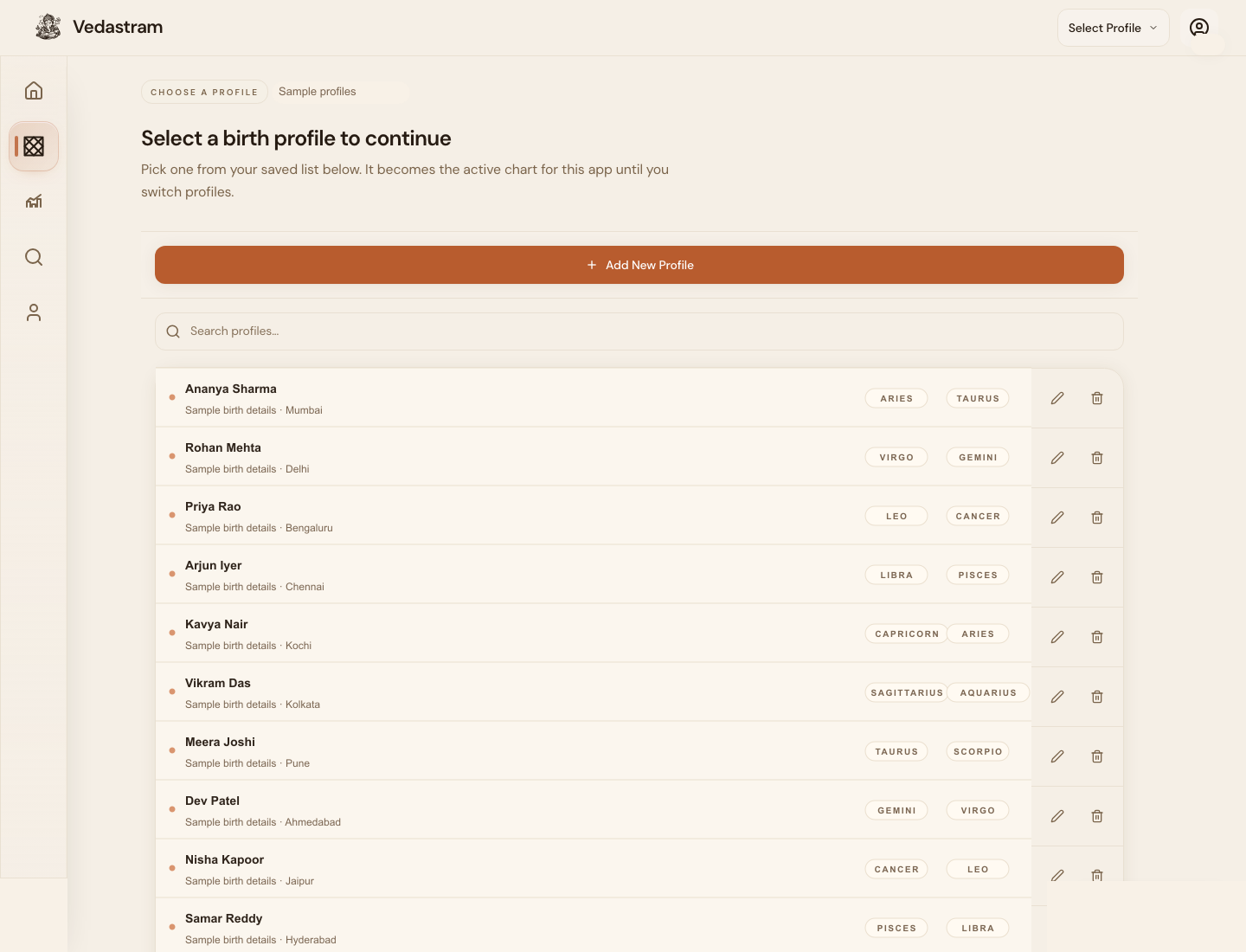
The simplest path
Start by creating one birth profile. Vedastram uses that profile to calculate the birth chart, planetary periods, daily timing, reports, and personalized guidance.
After the chart appears, read Birth Nakshatra, Lagna, Moon sign, and current dasha first. Those four facts explain much of the app context.
What to open next
Use Birth Chart for the foundation, Ask and reports for one focused question, Dasha for timing, and Panchang or Tarabalam for daily timing.
If you are unsure, use search in plain language like career, marriage, today, good time, or phase am I in.
Troubleshooting and recovery
A chart-backed page asks for a profile
Open the profile chooser, select a complete profile, then return to the page. Prashna, Panchang, and some Muhurta workflows can work without natal data.
The values look like they belong to someone else
Check the active profile name in the header before continuing. Switching profiles changes every chart-backed result.
Frequently asked questions
Do I need to understand Jyotish before using Vedastram?
No. Start with the task you want to complete and use the glossary or method sections only when you want deeper evidence.
What should I verify first?
Verify the birth date, exact local birth time, place, and timezone. Small birth-time differences can materially change the ascendant and higher divisional charts.
Terms used in this guide
- Birth profile
- The saved birth details used to calculate personalized astrology results.
- Lagna
- The ascendant sign rising at birth; it anchors the house layout.
Did this guide help you complete the task?
Owner: Vedastram Product Education